Car Dealer Simulator PC Steam CD Key
Car Dealer Simulator PC Steam CD Key is a digital key for Steam, not region-locked. Delivered instantly after payment. Price: $13.90, 30% below the Steam MSRP of $19.99.
⭐ 153,000+ orders delivered since 2018
 Pago Móvil
 Binance Pay
About this game
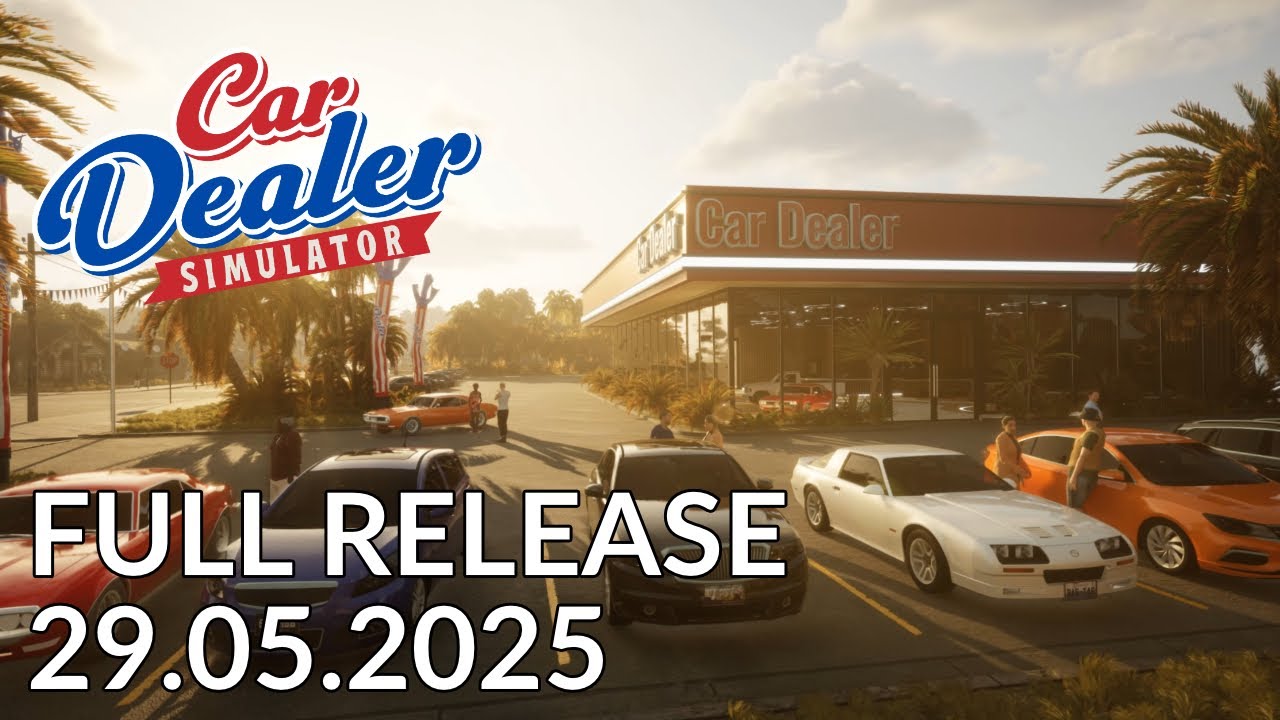
Turn your dream of selling used cars into reality! In Car Dealer Simulator, you’ll learn the ins and outs of running a business from its quirky owner, Little Sam. He’s not great at keeping things in order, so your task is to buy low, fix up, and sell high. Over time, as you master your initial challenges, you’ll have the chance to take over the business, and then…
Everything will be in your hands! Build a business that fulfills your customers’ automotive fantasies. From budget-friendly cars to top-tier rides, seize opportunities, hire the best, provide excellent service, and maximize profits. Grow your company day by day.
The key to achieving high profits lies in negotiating when buying old cars. Look for great deals, and during price haggling, stay firm and professional.
Not all purchased cars are in working condition, so you’ll need to transport them using one of two types of tow trucks.
Every car requires diagnostics and preparation before being sold. Mechanical repairs, bodywork, painting, and small touch-ups will significantly increase the selling price.
Presenting a car to the customer requires a few tricks. Washing, good photos, and an engaging advertisement will be your allies. Highlight the car’s strengths in your listing, but remember—every car has its hidden flaws. Customers buy with their eyes, so use the shine of the paint, a full tank, and quality photos to your advantage.
Your profits will allow you to continually grow your company. Upgrade tools, repair zones, and your customer service office. Hire employees to boost efficiency. Manage your finances wisely and maintain your company’s reputation. But stay vigilant—competition, and even your “helpful neighbors,” never rest. Protect what you’ve tirelessly built from potential threats.
System Requirements
Minimum
- OS: Microsoft Windows 10/11 64-bit
- Processor: Intel Core i3 3.0 GHz or Ryzen 5 3000
- Memory: 8 GB RAM
- Graphics: GeForce GTX 970 / Radeon RX 570
- DirectX: Version 11
- Storage: 22 GB available space
- Sound Card: DirectX compatible
- Additional Notes: Requires a 64-bit processor and operating system
Recommended
- OS: Microsoft Windows 10/11 64-bit
- Processor: Intel Core i7 3.5 Ghz or Ryzen 7 5000 or higher
- Memory: 16 GB RAM
- Graphics: GeForce RTX 3070 / Radeon RX 6800
- DirectX: Version 11
- Storage: 22 GB available space
- Sound Card: DirectX compatible
- Additional Notes: Requires a 64-bit processor and operating system
How to activate
- Launch the Steam desktop client and log in to your account, or visit store.steampowered.com/account/registerkey in your browser.
- Click the "Games" menu at the top of the client (or click "+ Add a Game" at the bottom-left) and select "Activate a Product on Steam...".
- Follow the on-screen prompts, accept the Steam Subscriber Agreement, and enter your CD-Key in the "Product Code" field.
- Click "Next" and "Finish" to register the game. It will now appear permanently in your Steam Library ready to install.
Customer Reviews
Frequently asked questions
Which region is this for?
This is the Global version: it is not region-locked.
How do I activate Car Dealer Simulator PC Steam CD Key on Steam?
1. Launch the Steam desktop client and log in to your account, or visit store.steampowered.com/account/registerkey in your browser. 2. Click the "Games" menu at the top of the client (or click "+ Add a Game" at the bottom-left) and select "Activate a Product on Steam...". 3. Follow the on-screen prompts, accept the Steam Subscriber Agreement, and enter your CD-Key in the "Product Code" field. 4. Click "Next" and "Finish" to register the game. It will now appear permanently in your Steam Library ready to install.
How fast is delivery?
Your key appears in your account and is emailed to you right after payment.