Cozy Builder PC Steam CD Key (LATAM)
Cozy Builder PC Steam CD Key (LATAM) is a digital key for Steam, valid in Latin America. Your key arrives as soon as payment clears.
Choose your version
Your country: United States
How to buy it
1 option that does not work in United States
⚠ This version does not work in United States.
The one that works:Key · Global$9.24See →
- Steam
- LATAM
- Product code
154,000+ sales in our store and on marketplaces
 Pago Móvil
 Binance Pay
About this game
Welcome to Cozy Builder, a relaxing sandbox builder set among rolling hills and sun-dappled vineyards. Design your dream château from modular architectural pieces, decorate every detail inside and out, and bring the valley back to life as you harvest grapes and craft artisanal wine blends in your own countryside retreat.
After enduring an earthquake, the once-bustling Vineyard Valley now rests in quiet disrepair. Restore its beauty, rebuild its homes, and bring warmth and life back to the countryside. Each home you bring back to life helps the valley bloom again, turning forgotten places into reflections of peace and care.
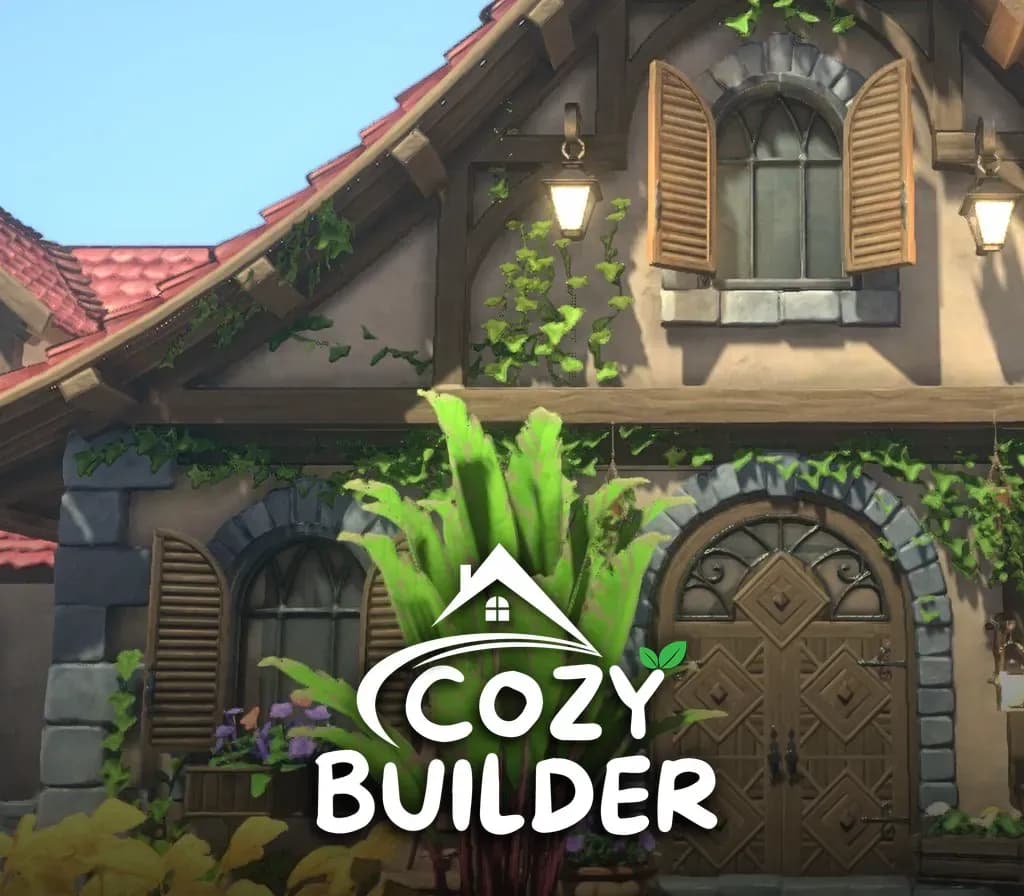
Build from the ground up using intricate, customizable pieces. Create ivy-covered walls, elegant arches, and gabled rooftops that reflect your personal style. Whether you dream of a rustic cottage or a grand estate, every home in Cozy Builder tells its own story.
Furnish interiors with art, cozy furniture, and handcrafted details that make your spaces feel alive. Step outside to design gardens, terraces, and greenhouses bursting with flowers and greenery. Every decoration adds warmth and charm to your vineyard retreat.
With abundant sunshine across the valley, no home is complete without a greenhouse. Create elegant glass structures filled with light, color, and life, seamlessly connected to your home interiors. Collect rare plants, nurture flowers, and design lush indoor gardens that blur the line between inside and out. Your greenhouse is both a sanctuary and a living work of art.
Bask in the sunlight as you walk through rolling vineyards surrounded by gentle hills and golden light. Harvest ripe grapes, olives, and other produce nurtured by the valley’s rich soil. Ferment, blend, and bottle your own artisanal wines!
The valley is abundant with life. Gather heirloom produce, forage for herbs and wildflowers, and craft artisanal blends, preserves, and rustic goods to share with the townsfolk or sell to fund your next creation. Each harvest connects you more deeply to the valley you’ve helped revive.
Step inside your château in immersive 3D and enjoy the peaceful life you’ve built. Explore scenic hills, unwind under the warm vineyard sun, and find joy in every detail of your creation. Cozy Builder is a relaxing, creative escape for players who love to design, decorate, and bring beauty to the world.
System Requirements
Minimum
- OS: Windows 10 or later
- Processor: Intel Core i5-6600 / Ryzen 5 3500
- Memory: 16 GB RAM
- Graphics: GeForce GTX 960 4GB or similar
- Storage: 4 GB available space
Recommended
- OS: Windows 10 or later
- Processor: Intel Core i5-8400 / AMD Ryzen 5 4500
- Memory: 16 GB RAM
- Graphics: GeForce GTX 1060 or similar
- Storage: 4 GB available space
How to activate
- Launch the Steam desktop client and log in to your account, or visit store.steampowered.com/account/registerkey in your browser.
- Click the "Games" menu at the top of the client (or click "+ Add a Game" at the bottom-left) and select "Activate a Product on Steam...".
- Follow the on-screen prompts, accept the Steam Subscriber Agreement, and enter your CD-Key in the "Product Code" field.
- Click "Next" and "Finish" to register the game. It will now appear permanently in your Steam Library ready to install.
About this game
Welcome to Cozy Builder, a relaxing sandbox builder set among rolling hills and sun-dappled vineyards. Design your dream château from modular architectural pieces, decorate every detail inside and out, and bring the valley back to life as you harvest grapes and craft artisanal wine blends in your own countryside retreat.
After enduring an earthquake, the once-bustling Vineyard Valley now rests in quiet disrepair. Restore its beauty, rebuild its homes, and bring warmth and life back to the countryside. Each home you bring back to life helps the valley bloom again, turning forgotten places into reflections of peace and care.
Build from the ground up using intricate, customizable pieces. Create ivy-covered walls, elegant arches, and gabled rooftops that reflect your personal style. Whether you dream of a rustic cottage or a grand estate, every home in Cozy Builder tells its own story.
Furnish interiors with art, cozy furniture, and handcrafted details that make your spaces feel alive. Step outside to design gardens, terraces, and greenhouses bursting with flowers and greenery. Every decoration adds warmth and charm to your vineyard retreat.
With abundant sunshine across the valley, no home is complete without a greenhouse. Create elegant glass structures filled with light, color, and life, seamlessly connected to your home interiors. Collect rare plants, nurture flowers, and design lush indoor gardens that blur the line between inside and out. Your greenhouse is both a sanctuary and a living work of art.
Bask in the sunlight as you walk through rolling vineyards surrounded by gentle hills and golden light. Harvest ripe grapes, olives, and other produce nurtured by the valley’s rich soil. Ferment, blend, and bottle your own artisanal wines!
The valley is abundant with life. Gather heirloom produce, forage for herbs and wildflowers, and craft artisanal blends, preserves, and rustic goods to share with the townsfolk or sell to fund your next creation. Each harvest connects you more deeply to the valley you’ve helped revive.
Step inside your château in immersive 3D and enjoy the peaceful life you’ve built. Explore scenic hills, unwind under the warm vineyard sun, and find joy in every detail of your creation. Cozy Builder is a relaxing, creative escape for players who love to design, decorate, and bring beauty to the world.
System Requirements
Minimum
- OS: Windows 10 or later
- Processor: Intel Core i5-6600 / Ryzen 5 3500
- Memory: 16 GB RAM
- Graphics: GeForce GTX 960 4GB or similar
- Storage: 4 GB available space
Recommended
- OS: Windows 10 or later
- Processor: Intel Core i5-8400 / AMD Ryzen 5 4500
- Memory: 16 GB RAM
- Graphics: GeForce GTX 1060 or similar
- Storage: 4 GB available space
Customer Reviews
Nobody has reviewed this game yet. If you buy it, tell us how it went.
Frequently asked questions
Which region is this for?
This is the Latin America version. Make sure your account is registered in that region before buying.
How do I activate Cozy Builder PC Steam CD Key (LATAM) on Steam?
1. Launch the Steam desktop client and log in to your account, or visit store.steampowered.com/account/registerkey in your browser. 2. Click the "Games" menu at the top of the client (or click "+ Add a Game" at the bottom-left) and select "Activate a Product on Steam...". 3. Follow the on-screen prompts, accept the Steam Subscriber Agreement, and enter your CD-Key in the "Product Code" field. 4. Click "Next" and "Finish" to register the game. It will now appear permanently in your Steam Library ready to install.
How fast is delivery?
Your key appears in your account and is emailed to you right after payment.