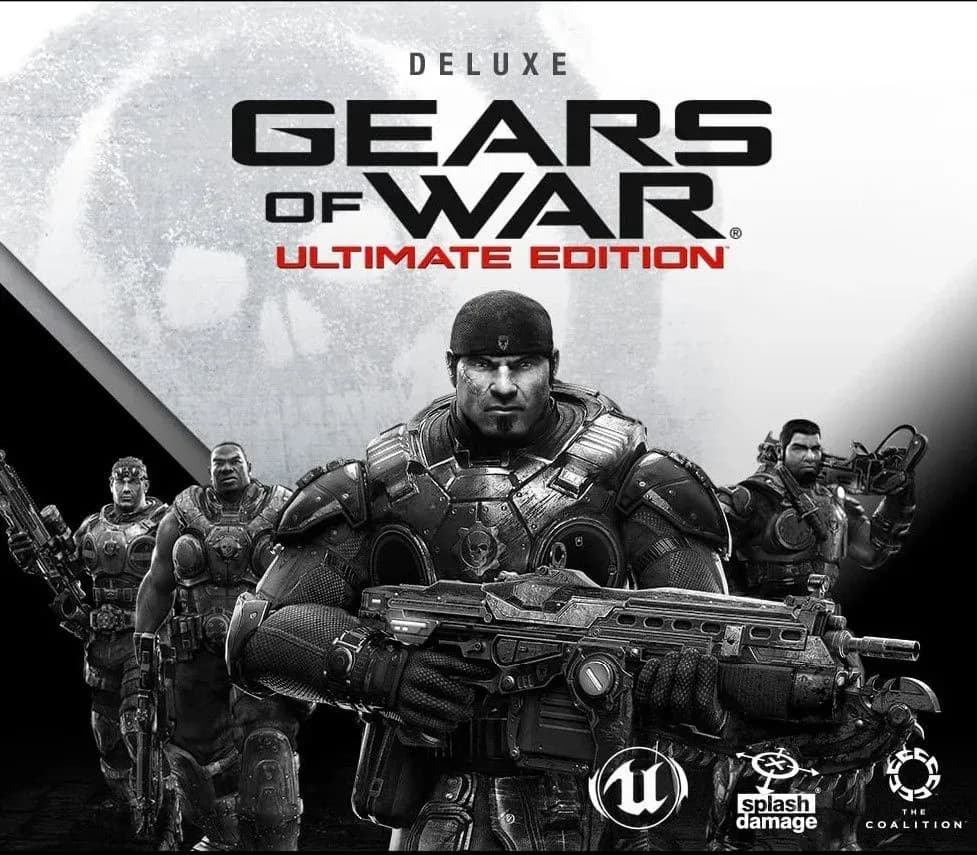
Gears of War Ultimate Edition Deluxe Version Xbox One CD Key (EU)
Gears of War Ultimate Edition Deluxe Version Xbox One CD Key (EU) is a digital key for Xbox, valid in Europe. Your key arrives as soon as payment clears.
Choose your version
Platform
Edition
How to buy it
- Xbox
 Europe
- Product code
154,000+ sales in our store and on marketplaces
 Pago Móvil
 Binance Pay
About this game
Once purchase is complete, download this game by selecting the “Manage” button on the product details page on your console. The landmark original Gears of War returns, stunningly remastered and modernized for Xbox One. Includes base game, Deluxe Weapon Skin Pack and Aaron Griffin character for use in multiplayer matches.
How to activate
- Open redeem.microsoft.com in any web browser, or press the Xbox button on your console and select Store -> Redeem.
- Sign in with the Microsoft / Xbox account on which you want to activate the game.
- Enter the 25-character digital game code (hyphens are automatically inserted).
- Click "Next" and confirm. The game is added to your library and will appear in "My games & apps" on console or Xbox App for PC.
About this game
Once purchase is complete, download this game by selecting the “Manage” button on the product details page on your console. The landmark original Gears of War returns, stunningly remastered and modernized for Xbox One. Includes base game, Deluxe Weapon Skin Pack and Aaron Griffin character for use in multiplayer matches.
Customer Reviews
Nobody has reviewed this game yet. If you buy it, tell us how it went.
Frequently asked questions
Which region is this for?
This is the Europe version. Make sure your account is registered in that region before buying.
How do I activate Gears of War Ultimate Edition Deluxe Version Xbox One CD Key (EU) on Xbox?
1. Open redeem.microsoft.com in any web browser, or press the Xbox button on your console and select Store -> Redeem. 2. Sign in with the Microsoft / Xbox account on which you want to activate the game. 3. Enter the 25-character digital game code (hyphens are automatically inserted). 4. Click "Next" and confirm. The game is added to your library and will appear in "My games & apps" on console or Xbox App for PC.
How fast is delivery?
Your key appears in your account and is emailed to you right after payment.