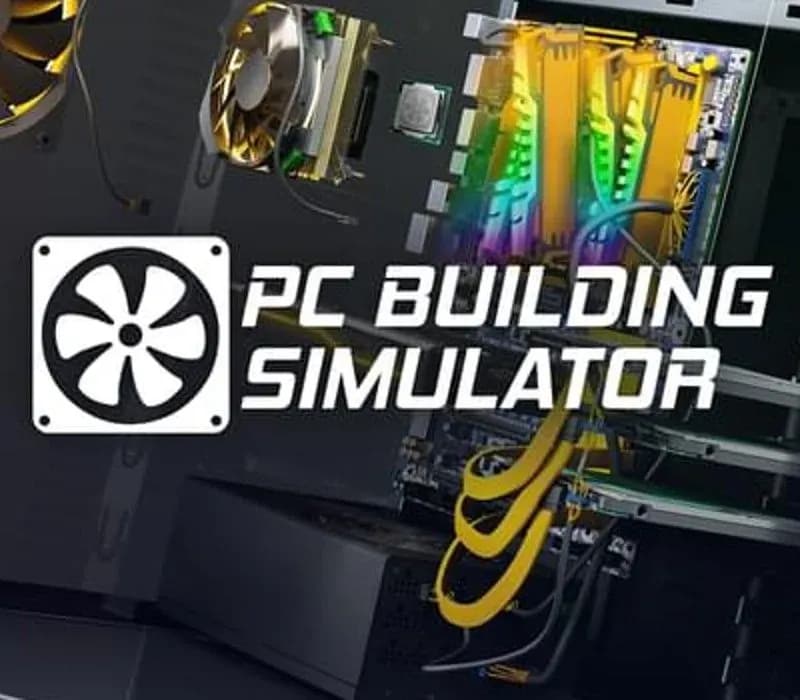
PC Building Simulator PC Steam CD Key (EU)
PC Building Simulator PC Steam CD Key (EU) is a digital key for Steam, valid in Europe. Your key arrives as soon as payment clears. Price: $18.52, 7% below the Steam MSRP of $19.99.
Choose your version
How to buy it
- Steam
 Europe
- Product code
154,000+ sales in our store and on marketplaces
 Pago Móvil
 Binance Pay
About this game
Build your very own PC empire, from simple diagnosis and repairs to bespoke, boutique creations that would be the envy of any enthusiast. With an ever-expanding marketplace full of real-world components you can finally stop dreaming of that ultimate PC and get out there, build it and see how it benchmarks in 3DMark!
PC Building Simulator has already enjoyed viral success with over 650,000+ downloads of its pre-alpha demo and has now been lovingly developed into a fully-fledged simulation to allow you to build the PC of your dreams.
Take charge of IT support for Irratech Corp in the IT Expansion which features over 20 hours of additional story content, included in PC Building Simulator completely for free.
The career mode in PC Building Simulator puts you in charge of your very own PC building and repair business. From your own cozy workshop, you must use all your technical skills to complete the various jobs that come your way. Customers will provide you with a range of jobs from simple upgrades and repairs to full system builds which you must complete while balancing your books to ensure you are still making a profit!
PC Building Simulator will allow you to experiment with a large selection of accurately modelled, fully licensed parts from your favourite real-world manufacturers. If money was no object, what would you build?
Build your PC from the case up with your favourite parts and express your building flair by choosing your favourite LED and cabling colors to really make it stand out. Choose from a range of air and water cooling solutions to keep it cool or even go all out with fully customizable water cooling loops! Once your rig is ready to go, turn it on and see how it benchmarks. Not happy with the results? Jump into the bios and try your hand at overclocking to see if you can get better results without breaking anything!
Does building your own PC seem like an impossible task? PC Building Simulator aims to teach even the most novice PC user how their machine is put together with step-by-step instructions explaining the order parts should be assembled and providing useful information on what each part is and its function.
System Requirements
Minimum
- OS: Windows 7 or higher
- Processor: Intel Core i5-2500K or AMD Athlon X4 740 (or equivalent)
- Memory: 4 GB RAM
- Graphics: GeForce GTX 660 (2048 MB) or Radeon R9 285 (2048 MB) - Integrated GPUs may work but are not supported.
- DirectX: Version 9.0c
- Storage: 30 GB available space
- Sound Card: DirectX compatible
How to activate
- Launch the Steam desktop client and log in to your account, or visit store.steampowered.com/account/registerkey in your browser.
- Click the "Games" menu at the top of the client (or click "+ Add a Game" at the bottom-left) and select "Activate a Product on Steam...".
- Follow the on-screen prompts, accept the Steam Subscriber Agreement, and enter your CD-Key in the "Product Code" field.
- Click "Next" and "Finish" to register the game. It will now appear permanently in your Steam Library ready to install.
About this game
Build your very own PC empire, from simple diagnosis and repairs to bespoke, boutique creations that would be the envy of any enthusiast. With an ever-expanding marketplace full of real-world components you can finally stop dreaming of that ultimate PC and get out there, build it and see how it benchmarks in 3DMark!
PC Building Simulator has already enjoyed viral success with over 650,000+ downloads of its pre-alpha demo and has now been lovingly developed into a fully-fledged simulation to allow you to build the PC of your dreams.
Take charge of IT support for Irratech Corp in the IT Expansion which features over 20 hours of additional story content, included in PC Building Simulator completely for free.
The career mode in PC Building Simulator puts you in charge of your very own PC building and repair business. From your own cozy workshop, you must use all your technical skills to complete the various jobs that come your way. Customers will provide you with a range of jobs from simple upgrades and repairs to full system builds which you must complete while balancing your books to ensure you are still making a profit!
PC Building Simulator will allow you to experiment with a large selection of accurately modelled, fully licensed parts from your favourite real-world manufacturers. If money was no object, what would you build?
Build your PC from the case up with your favourite parts and express your building flair by choosing your favourite LED and cabling colors to really make it stand out. Choose from a range of air and water cooling solutions to keep it cool or even go all out with fully customizable water cooling loops! Once your rig is ready to go, turn it on and see how it benchmarks. Not happy with the results? Jump into the bios and try your hand at overclocking to see if you can get better results without breaking anything!
Does building your own PC seem like an impossible task? PC Building Simulator aims to teach even the most novice PC user how their machine is put together with step-by-step instructions explaining the order parts should be assembled and providing useful information on what each part is and its function.
System Requirements
Minimum
- OS: Windows 7 or higher
- Processor: Intel Core i5-2500K or AMD Athlon X4 740 (or equivalent)
- Memory: 4 GB RAM
- Graphics: GeForce GTX 660 (2048 MB) or Radeon R9 285 (2048 MB) - Integrated GPUs may work but are not supported.
- DirectX: Version 9.0c
- Storage: 30 GB available space
- Sound Card: DirectX compatible
Customer Reviews
Nobody has reviewed this game yet. If you buy it, tell us how it went.
Frequently asked questions
Which region is this for?
This is the Europe version. Make sure your account is registered in that region before buying.
How do I activate PC Building Simulator PC Steam CD Key (EU) on Steam?
1. Launch the Steam desktop client and log in to your account, or visit store.steampowered.com/account/registerkey in your browser. 2. Click the "Games" menu at the top of the client (or click "+ Add a Game" at the bottom-left) and select "Activate a Product on Steam...". 3. Follow the on-screen prompts, accept the Steam Subscriber Agreement, and enter your CD-Key in the "Product Code" field. 4. Click "Next" and "Finish" to register the game. It will now appear permanently in your Steam Library ready to install.
How fast is delivery?
Your key appears in your account and is emailed to you right after payment.