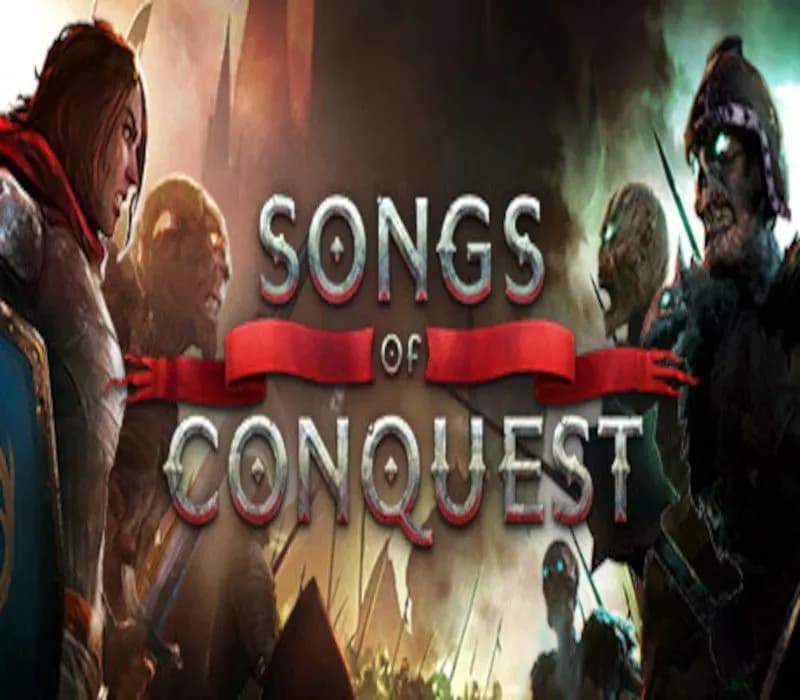
Songs of Conquest PC Steam CD Key (EU)
Songs of Conquest PC Steam CD Key (EU) is a digital key for Steam, valid in Europe. Your key arrives as soon as payment clears. Price: $7.06, 76% below the Steam MSRP of $29.99.
Choose your version
How to buy it
- Steam
 Europe
- Product code
154,000+ sales in our store and on marketplaces
 Pago Móvil
 Binance Pay
About this game
Songs of Conquest is a turn-based strategy game where you lead powerful magicians called Wielders and venture to lands unknown. Wage battles against armies that dare oppose you, hunt for powerful artifacts and expand your territory. The world is ripe for the taking – seize it!
Adventure Awaits
Explore a wide variety of maps with diverse enemies and valuable loot. Delve into contrasting biomes with unique factions, environments and battlefields.
Build an Empire
Manage resources, research new advancements and expand your kingdom. Plan your towns to match your playstyle – Will you enlist every archer you can to rain death from their bows, or will the eternal legions of Aurelia march to war beneath your banners?
Wage War
Dive into a deep combat system using troop abilities and powerful magic. Combine troops to maximize available spells and damage potential. March into epic siege battles and determine which faction matches your playstyle and strategy. There are many ways to conquer!
Play Your Way
Handcrafted maps for the curious adventurer, or randomized maps for endless replayability. Conquest maps allow head-to-head battles, while Challenge maps offer strategic puzzles to hone your tactical thinking. Find a plethora of maps created by the Lavapotion team as well as our mod community.
Alone or Together
Venture into the world of Aerbor on your own, team up with a friend, or enlist AI allies and enemies - the choice is yours. The majority of maps are playable in single player, co-op, or multiplayer through local hotseat or online.
Four Factions
Four factions are locked in an epic conflict. Arleon, knights of old battling each other for dominance. Rana, ancient tribes fighting for survival in the swamp. Loth, necromancers raising the dead to create a glorious future. Barya, bold mercenaries and inventors dedicated to coin, gunpowder and independence.
Four Choral Campaigns
Listen to the bards as they celebrate your path to victory. Each campaign comes with a unique song that tells the tale of your rise and ruin. Unlock new verses as you complete missions, enjoying the full track at the end of the journey.
In-game Map Editor
The in-game map editor allows you to create your own adventures using the same tools the developers use to create campaign and skirmish maps. Script in-game events, control the soundtrack, write dialogue and share your creations with others!
System Requirements
Minimum
- OS: Windows 10
- Processor: i5 Dual Core or Ryzen 5
- Memory: 8 GB RAM
- Graphics: Integrated graphics card
- DirectX: Version 10
- Storage: 4 GB available space
Recommended
- Graphics: GTX 970, RX 570 or similar
How to activate
- Launch the Steam desktop client and log in to your account, or visit store.steampowered.com/account/registerkey in your browser.
- Click the "Games" menu at the top of the client (or click "+ Add a Game" at the bottom-left) and select "Activate a Product on Steam...".
- Follow the on-screen prompts, accept the Steam Subscriber Agreement, and enter your CD-Key in the "Product Code" field.
- Click "Next" and "Finish" to register the game. It will now appear permanently in your Steam Library ready to install.
About this game
Songs of Conquest is a turn-based strategy game where you lead powerful magicians called Wielders and venture to lands unknown. Wage battles against armies that dare oppose you, hunt for powerful artifacts and expand your territory. The world is ripe for the taking – seize it!
Adventure Awaits
Explore a wide variety of maps with diverse enemies and valuable loot. Delve into contrasting biomes with unique factions, environments and battlefields.
Build an Empire
Manage resources, research new advancements and expand your kingdom. Plan your towns to match your playstyle – Will you enlist every archer you can to rain death from their bows, or will the eternal legions of Aurelia march to war beneath your banners?
Wage War
Dive into a deep combat system using troop abilities and powerful magic. Combine troops to maximize available spells and damage potential. March into epic siege battles and determine which faction matches your playstyle and strategy. There are many ways to conquer!
Play Your Way
Handcrafted maps for the curious adventurer, or randomized maps for endless replayability. Conquest maps allow head-to-head battles, while Challenge maps offer strategic puzzles to hone your tactical thinking. Find a plethora of maps created by the Lavapotion team as well as our mod community.
Alone or Together
Venture into the world of Aerbor on your own, team up with a friend, or enlist AI allies and enemies - the choice is yours. The majority of maps are playable in single player, co-op, or multiplayer through local hotseat or online.
Four Factions
Four factions are locked in an epic conflict. Arleon, knights of old battling each other for dominance. Rana, ancient tribes fighting for survival in the swamp. Loth, necromancers raising the dead to create a glorious future. Barya, bold mercenaries and inventors dedicated to coin, gunpowder and independence.
Four Choral Campaigns
Listen to the bards as they celebrate your path to victory. Each campaign comes with a unique song that tells the tale of your rise and ruin. Unlock new verses as you complete missions, enjoying the full track at the end of the journey.
In-game Map Editor
The in-game map editor allows you to create your own adventures using the same tools the developers use to create campaign and skirmish maps. Script in-game events, control the soundtrack, write dialogue and share your creations with others!
System Requirements
Minimum
- OS: Windows 10
- Processor: i5 Dual Core or Ryzen 5
- Memory: 8 GB RAM
- Graphics: Integrated graphics card
- DirectX: Version 10
- Storage: 4 GB available space
Recommended
- Graphics: GTX 970, RX 570 or similar
Customer Reviews
Nobody has reviewed this game yet. If you buy it, tell us how it went.
Frequently asked questions
Which region is this for?
This is the Europe version. Make sure your account is registered in that region before buying.
How do I activate Songs of Conquest PC Steam CD Key (EU) on Steam?
1. Launch the Steam desktop client and log in to your account, or visit store.steampowered.com/account/registerkey in your browser. 2. Click the "Games" menu at the top of the client (or click "+ Add a Game" at the bottom-left) and select "Activate a Product on Steam...". 3. Follow the on-screen prompts, accept the Steam Subscriber Agreement, and enter your CD-Key in the "Product Code" field. 4. Click "Next" and "Finish" to register the game. It will now appear permanently in your Steam Library ready to install.
How fast is delivery?
Your key appears in your account and is emailed to you right after payment.