
STAR WARS Jedi: Survivor PC Steam Gift (EU)
STAR WARS Jedi: Survivor PC Steam Gift (EU) is a gift for Steam, valid in Europe. Price: $14.52, 79% below the Steam MSRP of $69.99.
⭐ 153,000+ orders delivered since 2018
 Pago Móvil
 Binance Pay
About this game
STAR WARS Jedi: Survivor™ Deluxe Edition
Unlock exclusive cosmetic items inspired by Han Solo™ and Luke Skywalker™, as seen in STAR WARS: A New Hope, with Star Wars Jedi: Survivor Deluxe Edition*.
- The “Galactic Hero” Cosmetic Pack includes:
- “Scoundrel” Cosmetic
- “Rugged” BD-1 Cosmetic
- "DL-44” Blaster Set
- The “New Hero” Cosmetic Pack includes:
- “Rebel Hero” Cosmetic
- “BD-Astro” BD-1 Cosmetic
- “Rebel Hero” Lightsaber Set
About the Game
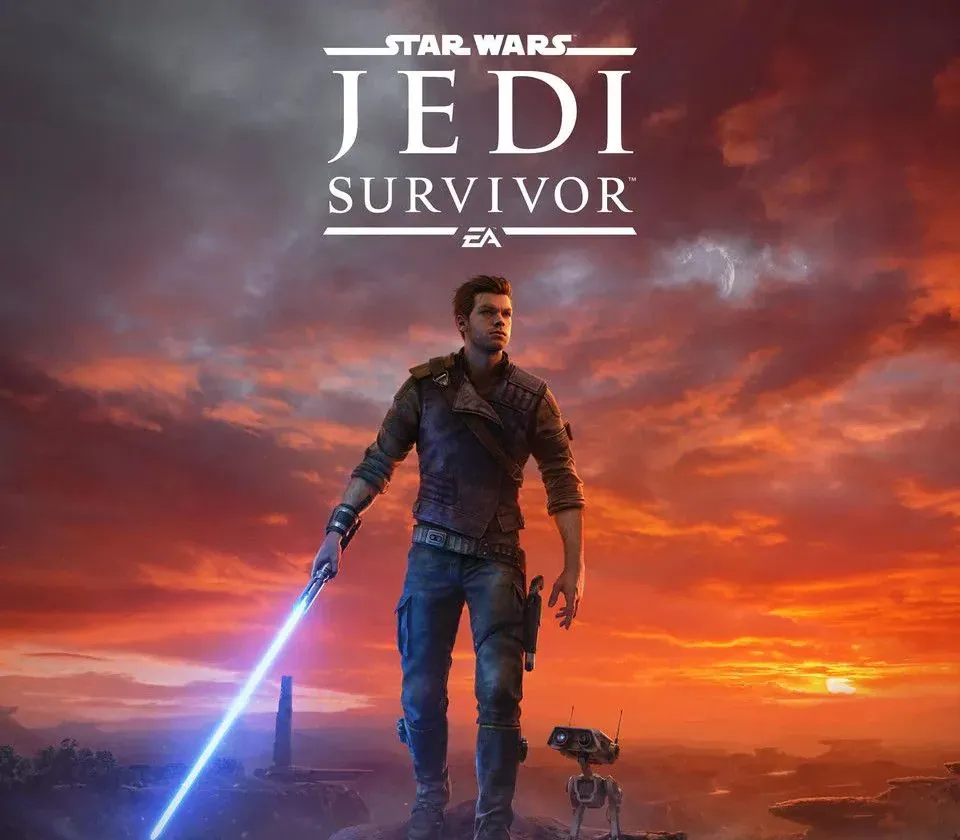
The story of Cal Kestis continues in Star Wars Jedi: Survivor™, a third-person, galaxy-spanning, action-adventure game from Respawn Entertainment, developed in collaboration with Lucasfilm Games. This narratively driven, single-player title picks up 5 years after the events of Star Wars Jedi: Fallen Order™ and follows Cal’s increasingly desperate fight as the galaxy descends further into darkness. Pushed to the edges of the galaxy by the Empire, Cal will find himself surrounded by threats new and familiar. As one of the last surviving Jedi Knights, Cal is driven to make a stand during the galaxy’s darkest times — but how far is he willing to go to protect himself, his crew, and the legacy of the Jedi Order?
System Requirements
Minimum
- OS: Windows 10 64-bit
- Processor: 4 core / 8 threads | Intel Core i7-7700 | Ryzen 5 1400
- Memory: 8 GB RAM
- Graphics: 8GB VRAM | GTX 1070 | Radeon RX 580
- DirectX: Version 12
- Network: Broadband Internet connection
- Storage: 155 GB available space
- Additional Notes: Internet required for non-optional patching, no online play.
Recommended
- OS: Windows 10 64-bit
- Processor: 4 core / 8 threads | Intel Core i5 11600K | Ryzen 5 5600X
- Memory: 16 GB RAM
- Graphics: 8GB VRAM | RTX2070 | RX 6700 XT
- DirectX: Version 12
- Network: Broadband Internet connection
- Storage: 155 GB available space
- Additional Notes: Internet required for non-optional patching, no online play.
How to activate
- Log into your Steam account via the desktop client or browser at store.steampowered.com.
- If delivered via activation link, open the link from your order and follow the prompt to accept the bot's friend request or direct gift transfer.
- In the Steam client, click the gift envelope / notification icon in the top-right corner to open the pending gift prompt.
- Select "Accept Gift" and choose "Add to my library" to bind the game permanently to your account.
Customer Reviews
Frequently asked questions
Which region is this for?
This is the Europe version. Make sure your account is registered in that region before buying.
How do I activate STAR WARS Jedi: Survivor PC Steam Gift (EU) on Steam?
1. Log into your Steam account via the desktop client or browser at store.steampowered.com. 2. If delivered via activation link, open the link from your order and follow the prompt to accept the bot's friend request or direct gift transfer. 3. In the Steam client, click the gift envelope / notification icon in the top-right corner to open the pending gift prompt. 4. Select "Accept Gift" and choose "Add to my library" to bind the game permanently to your account.
What does “gift” mean?
You receive the game as a gift on your Steam account. There is no key to redeem.