
Warhammer 40,000: Gladius - Relics of War PC Steam CD Key
Warhammer 40,000: Gladius - Relics of War PC Steam CD Key is a digital key for Steam, not region-locked. Delivered instantly after payment.
⭐ 153,000+ orders delivered since 2018
 Pago Móvil
 Binance Pay
About this game
Gladius Prime was known to Imperial scholars as a planet of archeological interest. During its colonization ancient relics were found, revealing hints of a shrouded past. But it was more than relics. Something awakened, an unspeakable horror from an ancient past, and the citizens of Gladius found themselves trapped in a terrible war for survival.
Gladius Prime was once a planet of peace. Now there is only war.
Warhammer 40,000: Gladius – Relics of War brings you to a world of terror and violence with the first turn-based 4X strategy game set in the Warhammer universe. Face challenging AI or cooperate or compete with friends and strangers across the globe.
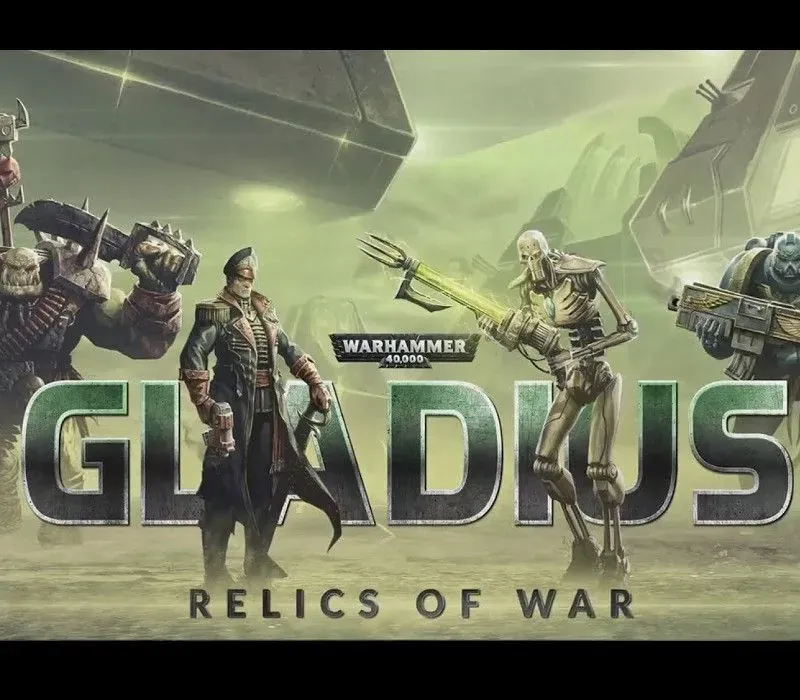
Play as one of four iconic Warhammer factions (Astra Militarum, Space Marines, Orks or Necrons), each with their own unique playstyle and technology tree. Explore a randomly generated world filled with special features and threatening wildlife that can crush your troop's morale. Secure control of powerful ancient artefacts to grant you an edge against rival factions.
Construct cities, buildings and fortifications to expand your empire and produce an army to vanquish your foes. Harvest resources and research new technologies to fuel and upgrade your machinery of war.
Progress through a different storyline with each faction as their destiny on Gladius Prime, a world tainted by the warp, unfolds. In the end, when all the dust has settled, only one faction can emerge victorious.
Command a wide array of devastating weaponry, issue city edicts and deploy tactical operations. Recruit hero units that possess distinct special abilities and can be equipped with items, ranging from advanced grenades to mighty relics of the past. As they become more and more powerful with each rank, they turn into true champions of your cause.
System Requirements
Minimum
- OS: Windows 10 (64-bit)
- Processor: Intel Core i3 or equivalent
- Memory: 4 GB RAM
- Graphics: Vulkan support with 3 GB VRAM (Nvidia GeForce 900 series / AMD Radeon RX 400 series)
- Storage: 4 GB available space
Recommended
- OS: Windows 10 (64-bit)
- Processor: Intel Core i5 or equivalent
- Memory: 8 GB RAM
- Graphics: Vulkan support with 3 GB VRAM (Nvidia GeForce 900 series / AMD Radeon RX 400 series)
- Storage: 8 GB available space
How to activate
- Launch the Steam desktop client and log in to your account, or visit store.steampowered.com/account/registerkey in your browser.
- Click the "Games" menu at the top of the client (or click "+ Add a Game" at the bottom-left) and select "Activate a Product on Steam...".
- Follow the on-screen prompts, accept the Steam Subscriber Agreement, and enter your CD-Key in the "Product Code" field.
- Click "Next" and "Finish" to register the game. It will now appear permanently in your Steam Library ready to install.
Customer Reviews
Frequently asked questions
Which region is this for?
This is the Global version: it is not region-locked.
How do I activate Warhammer 40,000: Gladius - Relics of War PC Steam CD Key on Steam?
1. Launch the Steam desktop client and log in to your account, or visit store.steampowered.com/account/registerkey in your browser. 2. Click the "Games" menu at the top of the client (or click "+ Add a Game" at the bottom-left) and select "Activate a Product on Steam...". 3. Follow the on-screen prompts, accept the Steam Subscriber Agreement, and enter your CD-Key in the "Product Code" field. 4. Click "Next" and "Finish" to register the game. It will now appear permanently in your Steam Library ready to install.
How fast is delivery?
Your key appears in your account and is emailed to you right after payment.