 1 de 7
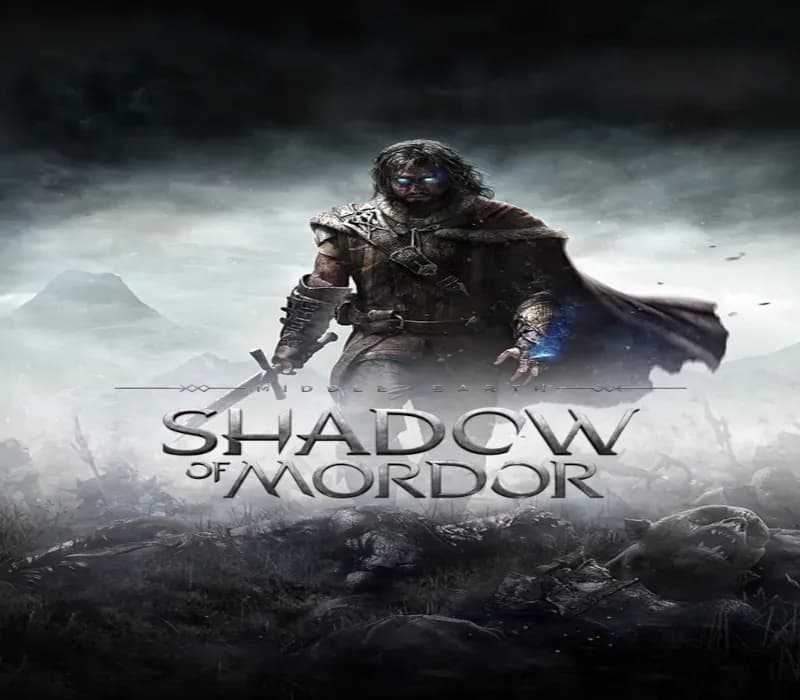
Middle-earth: Shadow of Mordor PS4 Account
Lanzamiento: 30 sept 2014 · Desarrollador: Monolith Productions · Distribuidora: Warner Bros. Interactive Entertainment
Middle-earth: Shadow of Mordor — PSN account for PS4, Global. Not a code — read the account-ban notice before buying.
- Paga con seguridadInstantáneo
- Clave revelada en tu cuenta~60s
- Canjea en PlayStationActivación directa
 Pago Móvil
 Binance Pay
 Criptomonedas
 Saldo
154.000+ ventas en tienda y marketplaces · Último pedido entregado: hace 33 minutos
Cómo activar
- 1Enciende tu consola PlayStation, selecciona "Añadir usuario" y pulsa "Comenzar" (no elijas "Jugar como invitado temporal").
- 2Inicia sesión en PSN con el correo y la contraseña entregados, e introduce el código 2FA si el pedido lo requiere.
- 3Activa el uso compartido: en PS5 ve a Ajustes -> Usuarios y cuentas -> Otros -> "Uso compartido de consola y juego offline" -> Activar (en PS4: Ajustes -> Gestión de cuentas -> "Activar como PS4 principal").
- 4Abre la Biblioteca de juegos -> "Tu colección", pon a descargar el juego y cambia a tu perfil personal para jugar y obtener trofeos.
Sobre este juego
Middle-earth: Shadow of Mordor PS4 Account es una cuenta de juego para PlayStation, sin bloqueo regional.
Important — please read before buying: This is a PlayStation account created and supplied by a third-party seller, not a code for your own account. Sony's Terms of Service do not allow buying or selling PSN accounts, so a ban of the account (or restrictions on the console) is a likely possibility, though not a certainty, and we cannot guarantee the account will not be restricted. Do not change the account's country/region or add a payment method; play on your own profile via Console Sharing and Offline Play.
Note: certain features for the Middle-earth: Shadow of Mordor videogame will no longer be available beginning Dec. 31, 2020.
Affected Features
- The Nemesis Forge feature will no longer be available. Therefore, players will no longer be able to transfer their in-game Nemeses from Middle-earth: Shadow of Mordor to Middle-earth: Shadow of War.
- Vendetta missions and Leaderboards will no longer be available.
- WBPlay will no longer be available, but the epic runes "Orc Hunter" and "Gravewalker" will automatically be awarded to all players.
Winner of over 50 “Best of 2014” Awards including Game of the Year, Best Action Game and Most Innovative Game.
Preguntas frecuentes
¿Para qué región es?
Es la versión Global: no tiene bloqueo regional.
¿Cómo activo Middle-earth: Shadow of Mordor PS4 Account en PlayStation?
1. Enciende tu consola PlayStation, selecciona "Añadir usuario" y pulsa "Comenzar" (no elijas "Jugar como invitado temporal"). 2. Inicia sesión en PSN con el correo y la contraseña entregados, e introduce el código 2FA si el pedido lo requiere. 3. Activa el uso compartido: en PS5 ve a Ajustes -> Usuarios y cuentas -> Otros -> "Uso compartido de consola y juego offline" -> Activar (en PS4: Ajustes -> Gestión de cuentas -> "Activar como PS4 principal"). 4. Abre la Biblioteca de juegos -> "Tu colección", pon a descargar el juego y cambia a tu perfil personal para jugar y obtener trofeos.
¿Qué significa «cuenta»?
Recibes los datos de acceso de una cuenta de PlayStation que ya tiene el juego.
Opiniones de clientes
Ver todas las opiniones y escribir la tuya
Opiniones de clientes
Aún nadie ha opinado sobre este juego. Si lo compras, cuéntanos qué tal.