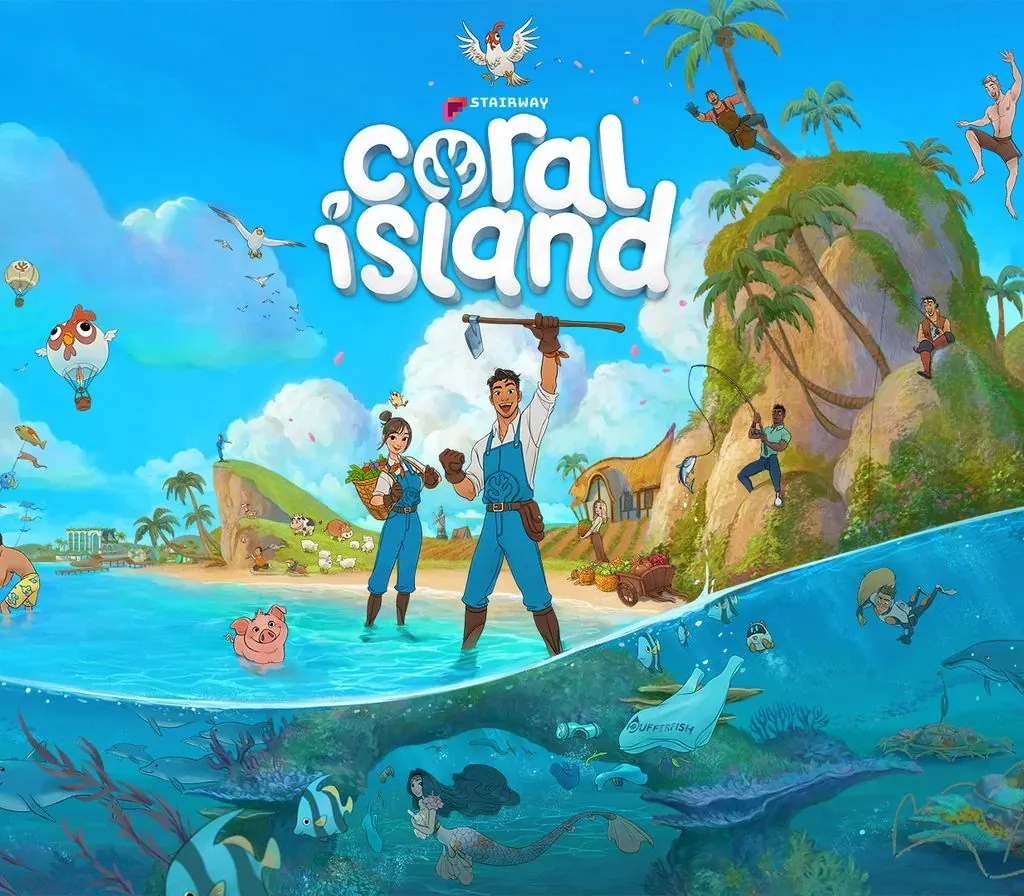
Coral Island PC Steam CD Key (EU)
Coral Island PC Steam CD Key (EU) is a digital key for Steam, valid in Europe. Delivered instantly after payment.
⭐ 153,000+ orders delivered since 2018
 Pago Móvil
 Binance Pay
About this game
It’s time to leave big-city life in Pokyo behind and start a new chapter of your life on Coral Island!
Be who you want and create the idyllic farm of your dreams, where you’ll tend crops, nurture animals, and build a bond with the natural world around you. Help revitalize the nearby town and its surrounding coral reefs, and forge relationships with a vibrant community of more than 70 fellow people who call Coral Island home.
Farm. Decorate. Craft. Explore. Relax. Your future—and the future of Coral Island—is what you make of it.
Build Your Dream Farm
Transform your overrun land on Coral Island into a lush and lively dreamscape—you decide what to build, what crops to grow, and which animals you’d like to tend.
Write your own story
The story changes with each season, but life goes with the flow. Spend your days exploring, or build a life with someone special. Save the seas, brave the caves, or focus on your farm. It’s up to you!
Multiplayer Farming
Team up with up to 3 friends (4 farmers total) to build the farm of your dreams! Grow crops, share resources, and uncover local mysteries together. Whether you're farming, fishing, or exploring—life’s better with friends!
Be yourself
Choose from a wide variety of outfits, accessories, and physiques—you’ll find plenty of options to express yourself, find your style, and be whoever you want to be.
Befriend a diverse cast of islanders:
Get to know the 70+ characters from all walks of life who live on Coral Island. Converse with them, find out more about their interests, and try to impress them with just the right gift.
Find that special someone
Meet 25 singles who are ready to mingle! Build relationships, sweep them off their feet, and find the one—and when you’re ready, embark on a new chapter of your story together at the farm.
Restore an island once paradise:
Make Coral Island a better place for everyone! Take part in community projects to liven up the town, expand the local museum, and discover how to restore heritage sites. Increase the town's rank and your community will thrive!
Catch of the day
Island living has a lot of perks, including being just a stone's throw away from fun activities like hunting for insects and catching fish.
Dive the ocean & mine the caverns:
Go diving to restore the coral reef, or mine precious gemstones in the cavern. Whatever you decide to do, you’ll find loot to hone your tools and upgrade the quality of your livestock and crops.
System Requirements
Minimum
- OS: Windows 10 64 bit
- Processor: Intel i3 Processor
- Memory: 6 GB RAM
- Graphics: Nvidia GeForce GTX 660 2GB
- DirectX: Version 10
- Storage: 8 GB available space
Recommended
- OS: Windows 10 64 bit
- Processor: Intel i7 Processor/Ryzen 1700+
- Memory: 16 GB RAM
- Graphics: Nvidia GeForce GTX960+
- DirectX: Version 10
- Storage: 8 GB available space
How to activate
- Launch the Steam desktop client and log in to your account, or visit store.steampowered.com/account/registerkey in your browser.
- Click the "Games" menu at the top of the client (or click "+ Add a Game" at the bottom-left) and select "Activate a Product on Steam...".
- Follow the on-screen prompts, accept the Steam Subscriber Agreement, and enter your CD-Key in the "Product Code" field.
- Click "Next" and "Finish" to register the game. It will now appear permanently in your Steam Library ready to install.
Customer Reviews
Frequently asked questions
Which region is this for?
This is the Europe version. Make sure your account is registered in that region before buying.
How do I activate Coral Island PC Steam CD Key (EU) on Steam?
1. Launch the Steam desktop client and log in to your account, or visit store.steampowered.com/account/registerkey in your browser. 2. Click the "Games" menu at the top of the client (or click "+ Add a Game" at the bottom-left) and select "Activate a Product on Steam...". 3. Follow the on-screen prompts, accept the Steam Subscriber Agreement, and enter your CD-Key in the "Product Code" field. 4. Click "Next" and "Finish" to register the game. It will now appear permanently in your Steam Library ready to install.
How fast is delivery?
Your key appears in your account and is emailed to you right after payment.