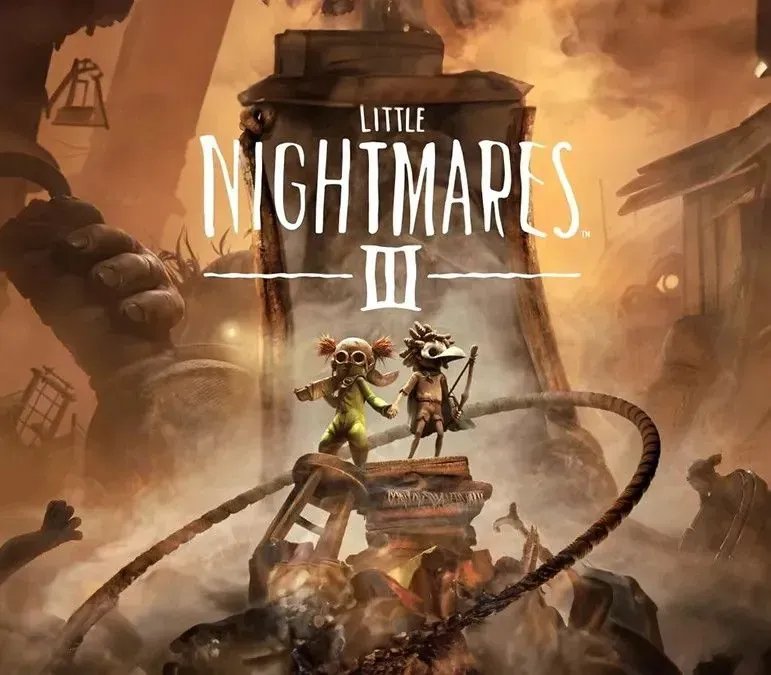

Little Nightmares III PC Steam CD Key (EU)
Little Nightmares III PC Steam CD Key (EU) is a digital key for Steam, valid in Europe. Delivered instantly after payment. Price: $22.55, 43% below the Steam MSRP of $39.99.
⭐ 153,000+ orders delivered since 2018
 Pago Móvil
 Binance Pay
About this game
Two young friends, lost in a frightening world not made for children.
If they cannot find a way out of this Nowhere place, they’ll be condemned to a fate worse than death.
You play as Low and Alone, best friends ever since they found each other in this lonely nightmare. They each possess their own iconic item: a bow for Low and a wrench for Alone. Working together, they’ve become adept at sneaking through hidden passages, hoisting each other over massive obstacles, and watching each other’s backs. Whether you’re playing with a friend or an A.I. companion, you’ll depend on each other's iconic items to create opportunities and to progress. The environment is full of clues and possibilities for imaginative children to exploit. Low’s arrows can reach high targets, cut through ropes, or down flying enemies, and Alone’s wrench is just the thing for crushing stunned enemies, smashing through barriers, or manipulating the workings of massive machines.
No matter where you go, the Nowhere is home to horrific monsters. These Residents won't hesitate to go out of their way to capture any intrusive little Visitors that draw their attention. You might find yourself playing a terrifying game of hide and seek with Monster Baby in the sandy ruins of the Necropolis, struggling to avoid swarms of voracious Candy Weevils in an unsetlling Candy Factory, or dodging heavy feet while running along the rain-soaked promenade of a filthy funfair. You'll need to be ready to run, hide, or even defend yourself at a moment's notice to stay in one piece.
Don’t be too distracted by the desolate beauty of the Nowhere. There are dark mysteries waiting for you as Low and Alone follow their mirror path across the Spiral. As each new location will become more dangerous and disturbing than the last, traumatic flashes from the past will begin to emerge. Will Low and Alone finally escape from this unending nightmare?
Only you can help them, little ones...
System Requirements
Minimum
- OS: Windows 11
- Processor: Intel Core i5-6500 or AMD Ryzen 3 1200
- Memory: 8 GB RAM
- Graphics: Nvidia GeForce GTX 1060 or AMD Radeon RX 580
- Additional Notes: Low 1080p @ 60 FPS
Recommended
- OS: Windows 11
- Processor: Intel Core i5-8400 or AMD Ryzen 5 1600
- Memory: 12 GB RAM
- Graphics: Nvidia GeForce RTX 2080, 8 GB or AMD RX 6800
- Additional Notes: High 1080p @ 60 FPS
How to activate
- Launch the Steam desktop client and log in to your account, or visit store.steampowered.com/account/registerkey in your browser.
- Click the "Games" menu at the top of the client (or click "+ Add a Game" at the bottom-left) and select "Activate a Product on Steam...".
- Follow the on-screen prompts, accept the Steam Subscriber Agreement, and enter your CD-Key in the "Product Code" field.
- Click "Next" and "Finish" to register the game. It will now appear permanently in your Steam Library ready to install.
Customer Reviews
Frequently asked questions
Which region is this for?
This is the Europe version. Make sure your account is registered in that region before buying.
How do I activate Little Nightmares III PC Steam CD Key (EU) on Steam?
1. Launch the Steam desktop client and log in to your account, or visit store.steampowered.com/account/registerkey in your browser. 2. Click the "Games" menu at the top of the client (or click "+ Add a Game" at the bottom-left) and select "Activate a Product on Steam...". 3. Follow the on-screen prompts, accept the Steam Subscriber Agreement, and enter your CD-Key in the "Product Code" field. 4. Click "Next" and "Finish" to register the game. It will now appear permanently in your Steam Library ready to install.
How fast is delivery?
Your key appears in your account and is emailed to you right after payment.