
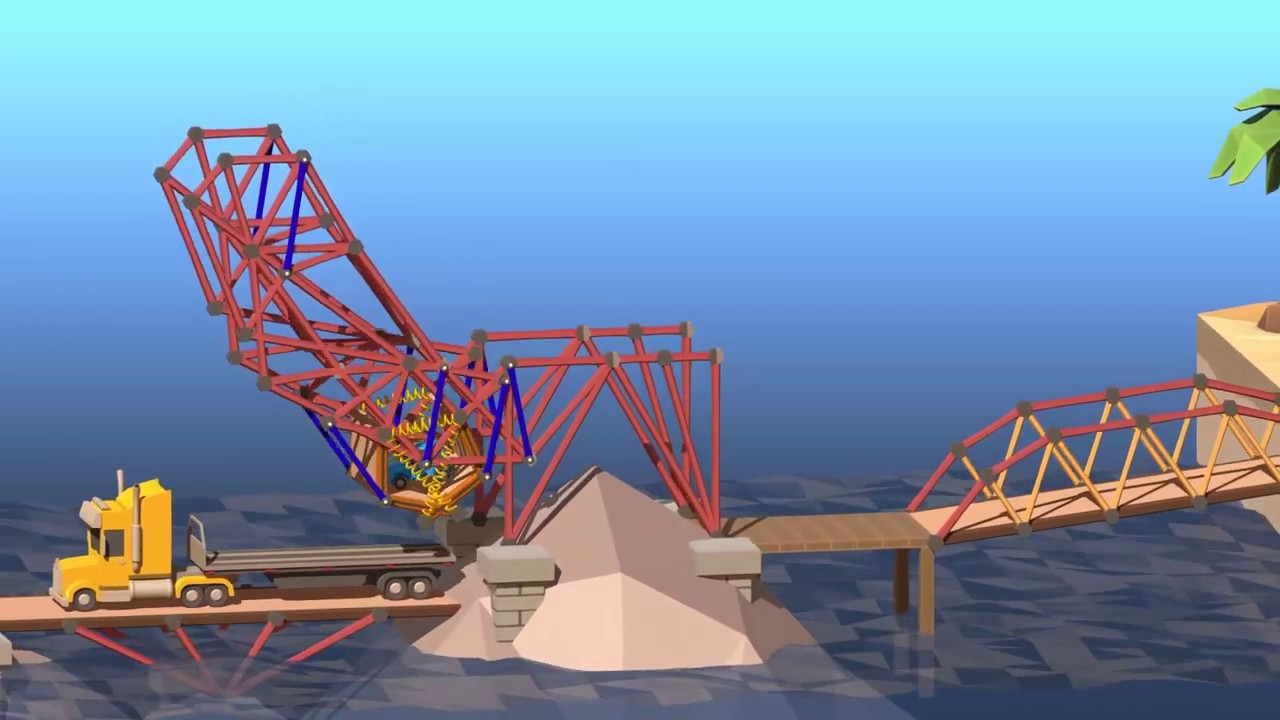
Poly Bridge 2 PC Steam CD Key
Poly Bridge 2 PC Steam CD Key is a digital key for Steam, not region-locked. Delivered instantly after payment. Price: $4.31, 71% below the Steam MSRP of $14.99.
⭐ 153,000+ orders delivered since 2018
 Pago Móvil
 Binance Pay
About this game
The acclaimed bridge-building simulator is back and better than ever!
New levels, new mechanics, a custom physics engine, workshop campaigns, and much more! Rediscover your engineering creativity with even more hours of puzzling fun!
Adrian Talens returns with a new full-length Soundtrack! Relax to the soothing and critically acclaimed music with 13 completely new tracks plus 18 of the original Poly Bridge songs remastered! Enjoy over an hour and a half of the familiar and gentle acoustic guitar rhythms.
Take on levels with some added cushion and bounce your way to victory with the new Spring material. Now your bridges can be even more flexible!
We went above and beyond this time, crafting a custom physics engine optimized and fine-tuned specifically for bridge simulations. Accurate and predictable, it guarantees the same simulation outcome for everyone, keeping the competitive aspect of the game alive!
Compete against other players in the new separate general and unbreaking leaderboards! Leaderboard entries are verified on submission to ensure a fair experience for all players.
Build bridges with your favourite streamer! The Poly Bridge 2 Twitch Extension allows viewers and streamers to work together; viewers can design and submit bridges directly to their favourite streamer for them to test in-game! Learn more at
Create unique levels from scratch and submit them to the in-game Workshop with an improved Sandbox level designer with new objects, customizable ramps, and over twenty vehicles to choose from! Show off your creativity, make your own puzzles, and find an endless variety of levels made by other players!
Group and order your workshop levels together in the new Workshop Campaigns! Design entire campaign worlds including multiple levels with a common theme and difficulty progression. We've also included over 100 original Poly Bridge levels to replay in the Workshop Campaigns section of the in-game Workshop!
- First Break Indicator: When your bridge is falling down it can be tough to see where it all goes wrong. Diagnose and fix problems easily with this new simple tool that highlights the first piece broken.
- 3-Way Split Joints: Drawbridges and hydraulic contraptions can now be enhanced with 3-way split joints. Employ complex moving designs into your bridge with multiple moving parts.
System Requirements
Minimum
- OS: 10
- Processor: 64-bit
- Memory: 4 GB RAM
- Graphics: 3D Capable Graphics Card
- DirectX: Version 10
- Storage: 500 MB available space
How to activate
- Launch the Steam desktop client and log in to your account, or visit store.steampowered.com/account/registerkey in your browser.
- Click the "Games" menu at the top of the client (or click "+ Add a Game" at the bottom-left) and select "Activate a Product on Steam...".
- Follow the on-screen prompts, accept the Steam Subscriber Agreement, and enter your CD-Key in the "Product Code" field.
- Click "Next" and "Finish" to register the game. It will now appear permanently in your Steam Library ready to install.
Customer Reviews
Frequently asked questions
Which region is this for?
This is the Global version: it is not region-locked.
How do I activate Poly Bridge 2 PC Steam CD Key on Steam?
1. Launch the Steam desktop client and log in to your account, or visit store.steampowered.com/account/registerkey in your browser. 2. Click the "Games" menu at the top of the client (or click "+ Add a Game" at the bottom-left) and select "Activate a Product on Steam...". 3. Follow the on-screen prompts, accept the Steam Subscriber Agreement, and enter your CD-Key in the "Product Code" field. 4. Click "Next" and "Finish" to register the game. It will now appear permanently in your Steam Library ready to install.
How fast is delivery?
Your key appears in your account and is emailed to you right after payment.