
 1 of 8
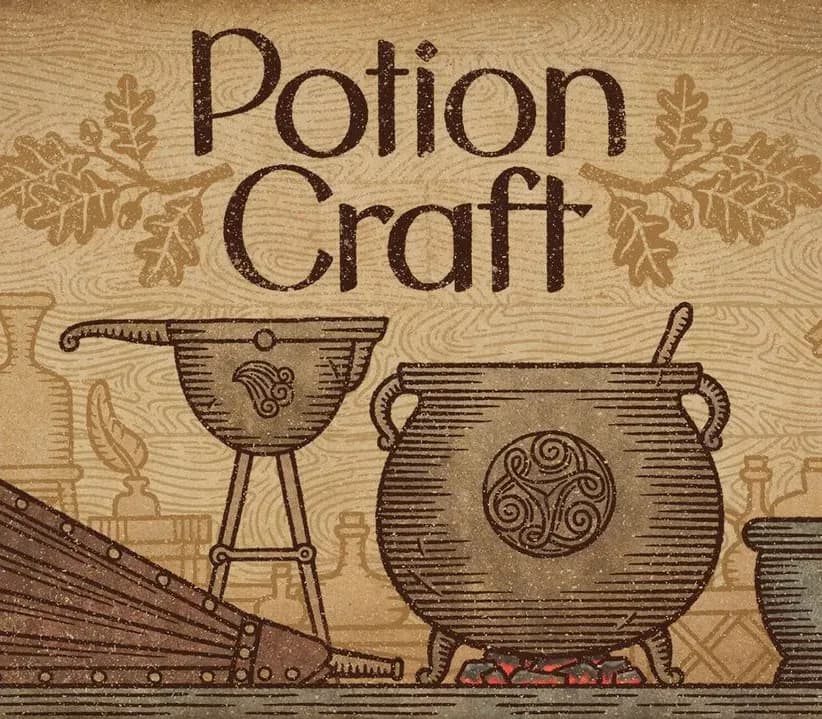
Potion Craft: Alchemist Simulator PC Steam CD Key (EU)
Release: Sep 21, 2021 · Developer: niceplay games · Publisher: tinyBuild
Work with all sorts of ingredientsLeaves, flowers, berries, roots, fruits, minerals, and a plethora of mushrooms are at the ready for your mortar and pestle. Just like espresso, the fineness of the grind matters! Learn the art of potion makingConcoct your potion plan. Grind ingredients and carefully
- Pay securelyInstant
- Key revealed in your account~60s
- Redeem on SteamDirect activation
Instant delivery
 Pago Móvil
 Binance Pay
 Crypto
 Wallet
154,000+ sales in our store and on marketplaces · Latest order delivered: 1 minute ago
How to activate
- 1Launch the Steam desktop client and log in to your account, or visit store.steampowered.com/account/registerkey in your browser.
- 2Click the "Games" menu at the top of the client (or click "+ Add a Game" at the bottom-left) and select "Activate a Product on Steam...".
- 3Follow the on-screen prompts, accept the Steam Subscriber Agreement, and enter your CD-Key in the "Product Code" field.
- 4Click "Next" and "Finish" to register the game. It will now appear permanently in your Steam Library ready to install.
About this game
Potion Craft: Alchemist Simulator PC Steam CD Key (EU) is a digital key for Steam, valid in Europe. Your key arrives as soon as payment clears. Price: $6.72, 66% below the Steam MSRP of $19.99.
Work with all sorts of ingredientsLeaves, flowers, berries, roots, fruits, minerals, and a plethora of mushrooms are at the ready for your mortar and pestle. Just like espresso, the fineness of the grind matters! Learn the art of potion makingConcoct your potion plan. Grind ingredients and carefully mix them in your cauldron.
Heat the coals. Boil and stir. Add the base: water, oil, or… something else. Congrats on your first potion!
Was it easy to learn? Now try mastering it! Experiment and invent new recipesCarefully plan your route via the Alchemy Map to combine different effects. Be mindful of common sense: you won’t find a market for a poisonous healing potion… right?
Or would you? Sell potionsEvery day customers will come to your store looking for solutions to their problems. You will face consequences depending on what you decide to sell them. Attract guilds, befriend notable figures (or feud with them), gain riches and influence - and one day, you may even decide the fate of the whole town.
Buy ingredients or grow your ownEvery alchemist needs ingredients. You can buy them from traveling merchants: it can be pricey, but successful haggling may save you some coin. Or you can just grow your own! Get creative with customizingWant to give a special appearance to your best potions?
Go ahead! Change bottle shape, label type, icon, and colors. You can even give it a custom name and label description. Carefully arrange your unique potions to showcase them on your shop’s shelves and tables… or carelessly throw them around - we’re not gonna tell you what to do, just have fun!
Features
Unique visuals inspired by medieval manuscripts and medical books. Hyper satisfying physical interactions with ingredients and equipment. Sandbox style gameplay where you have many different avenues available, and it’s up to you to figure out the best way to complete each task. Sell your potions to the townsfolk while roleplaying as a noble artisan, a greedy weasel, an occult dark master, or whomever else you may wish to be!
System Requirements
- Windows: Minimum: Requires a 64-bit processor and operating system OS: Windows 7 and up Processor: Dual-core Memory: 4 GB RAM Graphics: GTX 650 and up Storage: 2 GB available space
Frequently asked questions
Which region is this for?
This is the Europe version. Make sure your account is registered in that region before buying.
How do I activate Potion Craft: Alchemist Simulator PC Steam CD Key (EU) on Steam?
1. Launch the Steam desktop client and log in to your account, or visit store.steampowered.com/account/registerkey in your browser. 2. Click the "Games" menu at the top of the client (or click "+ Add a Game" at the bottom-left) and select "Activate a Product on Steam...". 3. Follow the on-screen prompts, accept the Steam Subscriber Agreement, and enter your CD-Key in the "Product Code" field. 4. Click "Next" and "Finish" to register the game. It will now appear permanently in your Steam Library ready to install.
How fast is delivery?
Your key appears in your account and is emailed to you right after payment.
Customer Reviews
See all reviews and write yours
Customer Reviews
Nobody has reviewed this game yet. If you buy it, tell us how it went.
You may also like
 −8%
Airframe Ultra CD Key
Euro Truck Simulator 2 - Iceland Gift
 −24%
Main Sequence CD Key (NA)
 −44%
Ashes of the Singularity II CD Key (EU)
 −15%