 1 of 6
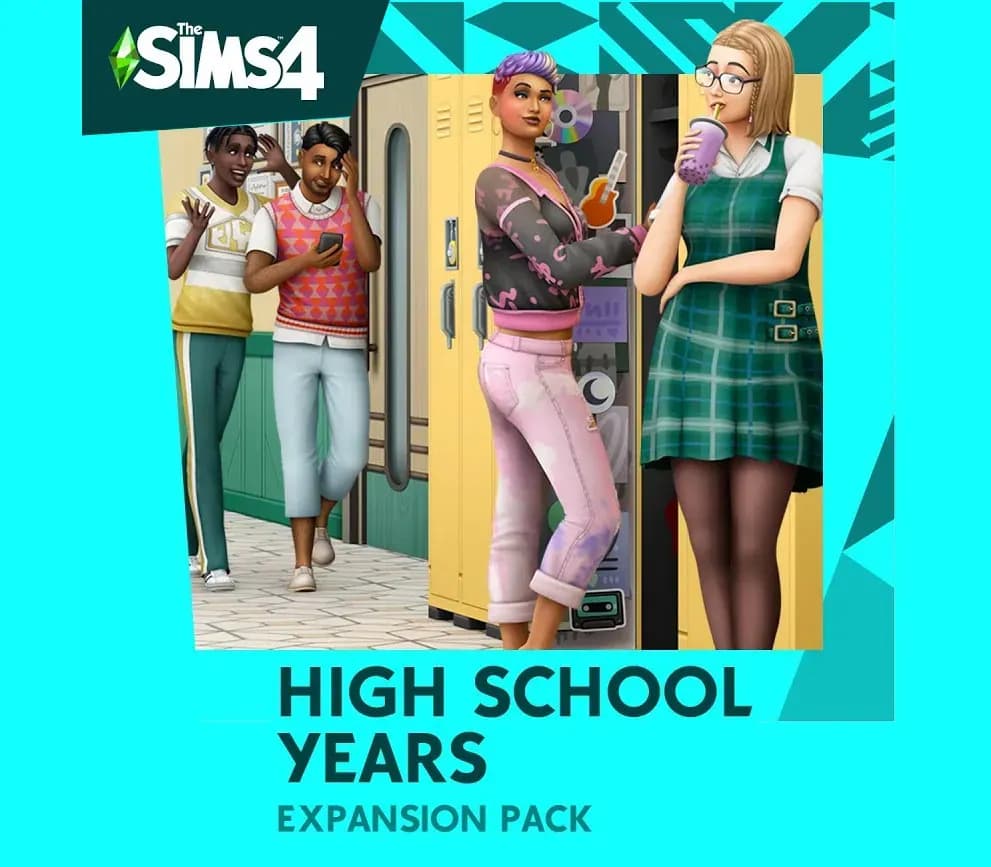
The Sims 4 High School Years Expansion Pack PC EA App CD Key (EU)
Release: Jul 28, 2022
Be a good (or bad) student, join a club, start a trend, and make the most of being a teenager with The Sims 4 High School Years Expansion Pack. Navigate iconic teenage experiences like attending prom, pulling pranks, experimenting with identity and trends, and forming friendships and rivalries at ex
- Pay securelyInstant
- Key revealed in your account~60s
- Redeem on EA AppDirect activation
Instant delivery
 Pago Móvil
 Binance Pay
 Crypto
 Wallet
154,000+ sales in our store and on marketplaces · Latest order delivered: 33 minutes ago
How to activate
- 1Launch the EA App on your PC and log into your EA Account, or visit ea.com/redeem in your web browser.
- 2Click on "My Collection" in the left sidebar.
- 3Click the "Redeem Code" button located in the top-right corner of your collection.
- 4Enter your product code into the text box.
- 5Click "Next" and "Confirm". The game is added to "My Collection" ready to download.
About this game
The Sims 4 High School Years Expansion Pack PC EA App CD Key (EU) is a digital key for EA App, valid in Europe. Your key arrives as soon as payment clears.
Be a good (or bad) student, join a club, start a trend, and make the most of being a teenager with The Sims 4 High School Years Expansion Pack. Navigate iconic teenage experiences like attending prom, pulling pranks, experimenting with identity and trends, and forming friendships and rivalries at extracurricular events. There’s a lot to do before graduation: teen Sims can attend class, interact with teachers, and even earn money as style influencers or streamers.
Features
Experience high school — Experience all the ups and downs of high school. Attend classes in person, get to know your teachers, hang out in the cafeteria, and even decorate your locker. Your most treasured moments might happen while loitering around with your friends after school. Iconic teen moments — Dance the night away at prom and celebrate your graduation ceremony (if you keep up with your schoolwork).
In addition to those big moments, Sims can make lifelong friends, participate in after-school activities and teams, and experience the rollercoaster ride of puberty. Shake things up — High school is a time of self-discovery. Find the confidence to ask out your crush or the guts to skip class (don’t let the principal catch you). Teen Sims will explore their own likes and dislikes, and have new opportunities to cause mischief.
Pranks and sneaking out after dark can have consequences, so be careful you don’t get caught. Explore your style — Make your bedroom your own, plan outfits with clothes designed by Depop sellers, and become a Simfluencer. Teen Sims can earn money by selling outfits and hyping up looks they design on Trendi right from their bedrooms, which are now more interactive than ever. Use a laptop, read a book in bed, or even have a pillow fight!
System Requirements
- Windows: Minimum: OS: 64 Bit Required. Windows 7 (SP1), Windows 8, Windows 8.1, or Windows 10 Processor: 1.8 GHz Intel Core 2 Duo, AMD Athlon 64 Dual-Core 4000+ or equivalent (For computers using built-in graphics chipsets, the game requires 2.0 GHz Intel Core 2 Duo, 2.0 GHz AMD Turion 64 X2 TL-62 or equivalent) Memory: 4 GB RAM Graphics: 128 MB of Video RAM and support for Pixel Shader 3.0. Supported Video Cards: NVIDIA GeForce 6600 or better, ATI Radeon X1300 or better, Intel GMA X4500 or better DirectX: Version 9.0 Network: Broadband Internet connection Storage: 17 GB available space
Frequently asked questions
Which region is this for?
This is the Europe version. Make sure your account is registered in that region before buying.
How do I activate The Sims 4 High School Years Expansion Pack PC EA App CD Key (EU) on EA App?
1. Launch the EA App on your PC and log into your EA Account, or visit ea.com/redeem in your web browser. 2. Click on "My Collection" in the left sidebar. 3. Click the "Redeem Code" button located in the top-right corner of your collection. 4. Enter your product code into the text box. 5. Click "Next" and "Confirm". The game is added to "My Collection" ready to download.
How fast is delivery?
Your key appears in your account and is emailed to you right after payment.
Customer Reviews
See all reviews and write yours
Customer Reviews
Nobody has reviewed this game yet. If you buy it, tell us how it went.
You may also like

The Sims 4 Horse Ranch Expansion Pack CD Key (NA)

EA SPORTS FC 26 Ultimate Edition CD Key (NA)
 −7%
Battlefield 6 CD Key (NA)
The Sims 4: Royalty & Legacy CD Key (EU)